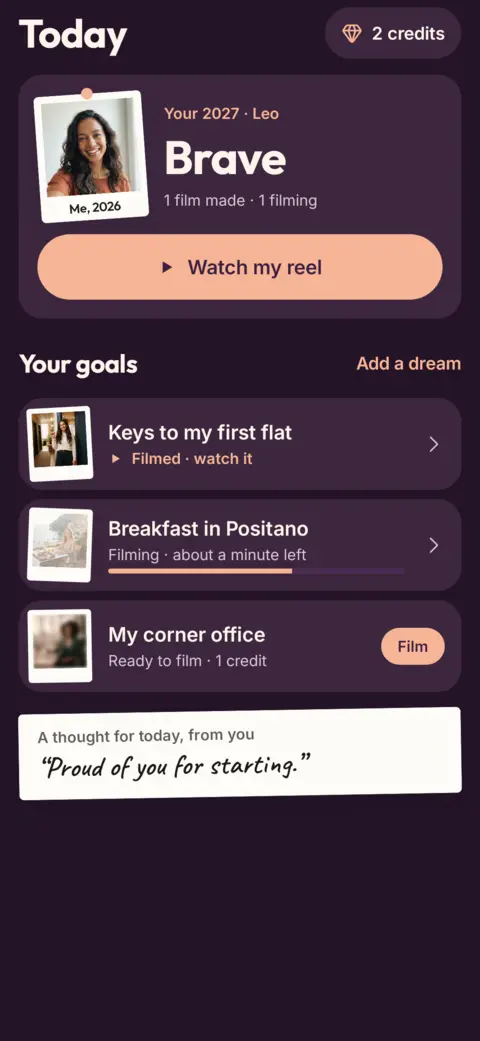
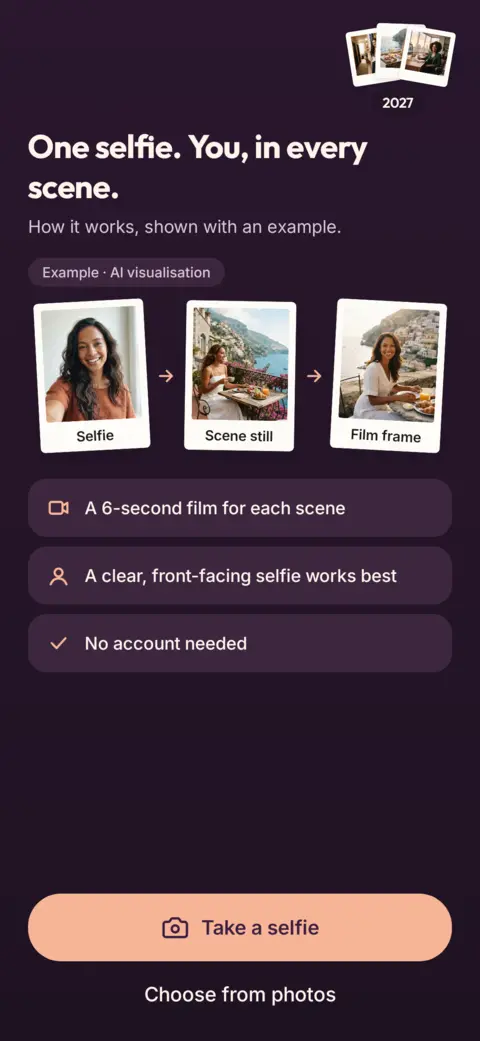
Pick the goals you are working toward, add one selfie, and VisionReel makes a short AI film of you inside each one: keys to your first flat, breakfast in Positano, your own corner office.
Android now, iPhone soon. For adults 18+. Films are AI visualisations for inspiration, not predictions.
AI visualisation
Real films made with VisionReel
One selfie, three goals, three 6-second films. Straight from the app, not edited. Every film is an AI visualisation for inspiration, not a prediction.
AI visualisation
Keys to my first flat
AI visualisation
Breakfast in Positano
AI visualisation
Adopting my dog
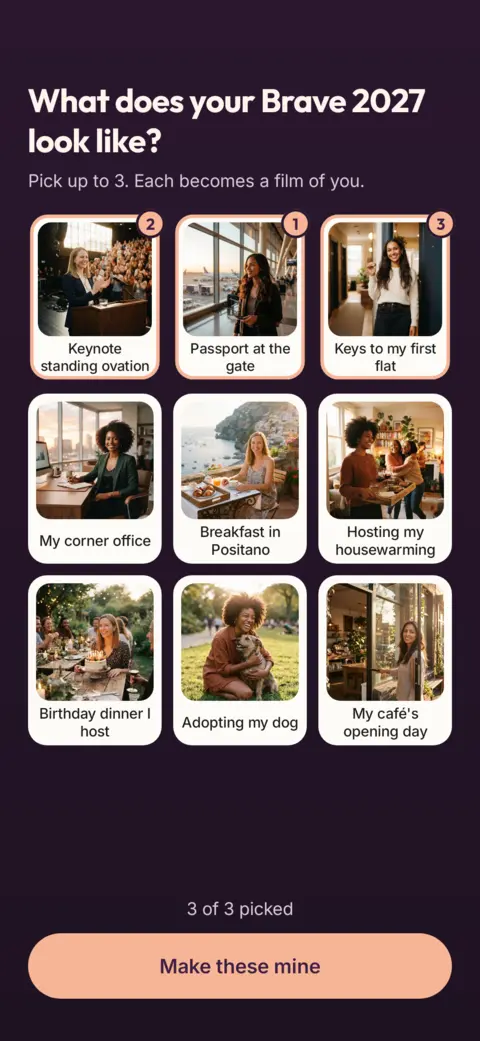
31 goal scenes. Pick up to 3, each becomes a film of you.
Real scenes from the app's catalogue. These stills show an example person; your films star you.
Keys to my first flatHome
Keynote standing ovationCareer
Sunrise in PatagoniaTravel
Adopting my dogLove and friends
My café's opening dayCareer
Signing my bookCreativity
Birthday dinner I hostLove and friends
Diploma on my wallMilestones
How it works
Three steps, about a minute of filming per scene. You can leave the app while it works.
1
Pick your goals
Choose up to 3 scenes from the catalogue: home, career, travel, friends, milestones and more. Add a word for your year if you like.
2
Add one selfie
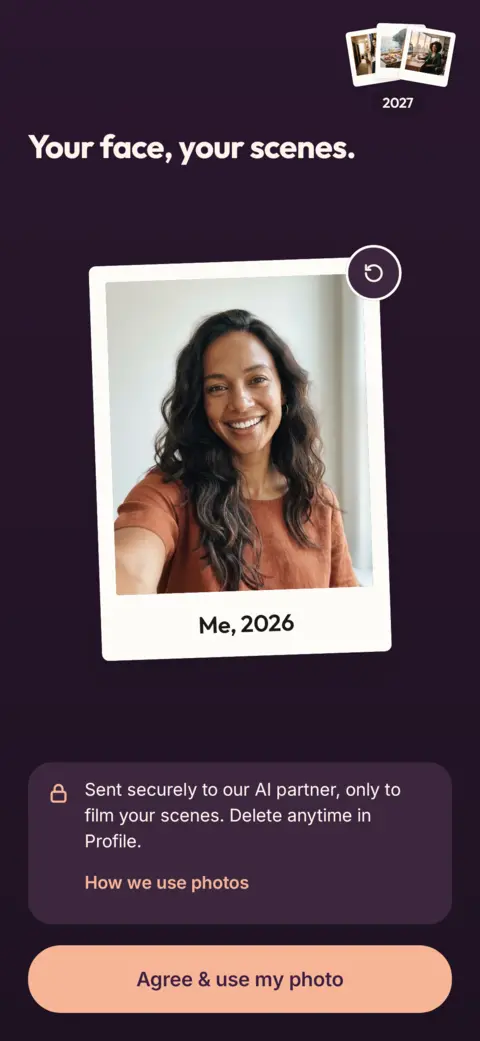
Take one with the camera or pick one from your photos. A clear, front-facing photo works best. You agree before it is used.
3
Watch your year
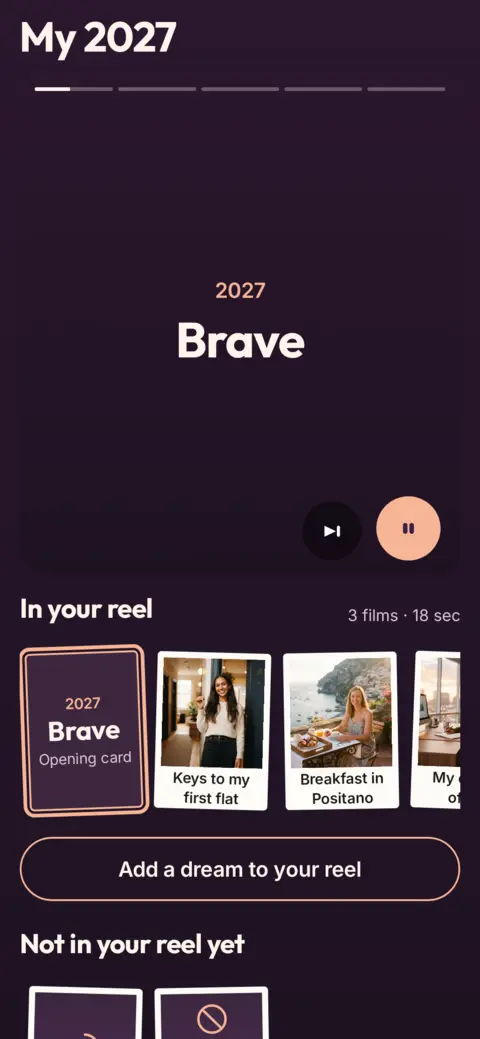
Each scene becomes a 6-second film of you. They collect into your own "My 2027" reel to watch, save and share.
A vision board you will actually look at
A collage on the wall fades into the background. A film of you walking into your own flat is harder to scroll past.
Your word for the year and a note to future you sit on top of your reel.
Add a new goal whenever you like. Each new film joins the reel.
Save films to your phone, or send one to a friend.
No sign-up needed. Your films and credits live on your phone.
Pay per film. No subscription.
1 credit makes 1 film. Buy a pack once, use the credits whenever you like. There is no free tier.
3 films$9.99$3.33 per film
Covers a full board7 films$11.99$1.71 per film
30 films$29.99$1.00 per film
One-time purchase. Credits never expire.
If a film fails, the credit comes back automatically.
US prices shown. Prices vary by country and the store shows yours before you pay.
Your face, your films
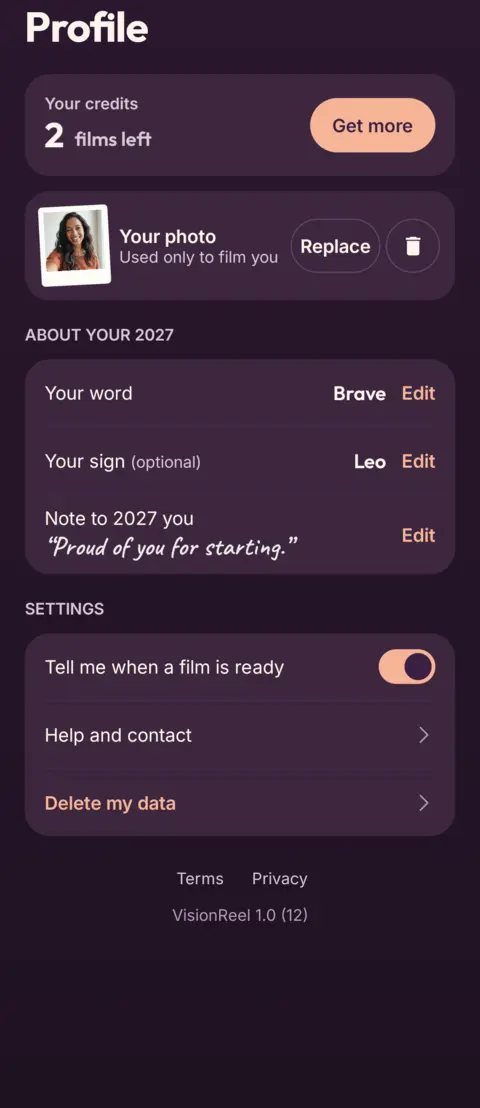
Your selfie stays on your phone. A copy goes to our AI partner only to film your scenes, and expires there in about 2 hours.
We never use your selfie to train AI, for face recognition or for ads.
Delete your selfie or all your data anytime in Profile.
A vision board app that films you. You pick up to 3 goal scenes, add one selfie, and VisionReel makes a 6-second AI film of you inside each scene. The films collect into your own reel for the year ahead.
Is it really me in the video?
The film is made by AI from one selfie, so it looks like you in the scene. It is a visualisation, it may not match you exactly, and the app labels every film as AI.
How much does VisionReel cost?
VisionReel is paid per film with one-time credit packs: 3 films for $9.99, 7 films for $11.99 or 30 films for $29.99 (US prices, they vary by country). 1 credit makes 1 film. No subscription, credits never expire, and a failed film gives its credit back.
What happens to my selfie?
Your selfie stays on your phone. A copy goes to our AI partner only to film your scenes and expires there after about 2 hours. It is never used to train AI, for face recognition or for ads, and you can delete it or all your data anytime in Profile.
How long does a film take?
About a minute per scene. You can leave the app while it films and it tells you when your film is ready.
Will seeing the video make my goal happen?
No app can promise that. The films are AI visualisations made for inspiration, not predictions. Many people use a vision board as a daily reminder of what they are working toward; the work is still yours.
Who can use VisionReel?
Adults aged 18 and over, with their own photo only.
Is it on iPhone?
VisionReel is coming to Android first, and iPhone soon after. The store buttons on this page show what is available right now.
How do I delete my data?
In the app: Profile, then Delete all my data. You can also email team@measify.com. See the delete account page for what is removed.
Guides
Vision board ideas, honest app comparisons and how-tos.